Showing posts with label Android. Show all posts

Thursday, July 26, 2012

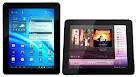
INTEX i-Buddy Android Tablet – Price Rs. 6,490


Intex Technologies launched its first android tablet in India, named INTEX i-Buddy . Intex i-Buddy features a 7 inch touchscreen display, sporting a resolution of 800 x 480 pixels, 1 GHz processor, front-facing camera for easy video chatting, 512 MB RAM , 4 GB internal memory, microSD card slot, 32 GB expandable memory, Wi-Fi 802.11 b/g/n, 3G Connectivity via USB Dongle, Adobe Flash 11.1, 2350 mAh battery and it comes with leather cover with attached keyboard.
INTEX i-Buddy runs on the Android 4.0 Ice Cream Sandwich Operating System. It comes in an ultra-slim design with 9mm thickness and weight just 316 grams. The tablet is priced at Rs 6,490 and comes with leather cover with attached keyboard. It also comes with pre-loaded games such as Angry Birds, Fruit Ninja etc.
INTEX i-Buddy Features:
*Runs on Android 4.0 Ice-cream Sandwich OS
Powered by 1 GHz processor.
*9mm thickness
*512 MB DDR3 RAM
*7 inch multi touch screen
*Support Adobe Flash 11.1
*32 GB external storage
*3G dongle via a USB port
*Front facing camera
*316 grams lightweight

Wednesday, July 18, 2012

How To Boot A Tablet Android Booting Explained


Installing new os in android tablet will be agreat fun to all.But many of us don’t know how to boot a tablet and install the latest firmware on it.In this post I will explain how to upgrade you tablet and have fun with it
Steps:
Turn off The Tablet
Remove Sd Card(Memmory Card)
Put It In A Reader And Connect To Pc
Format The Card with Fat32
Copy The Install Files To Your Sd Card
*Install Files Contain
wmt_scriptcmd[File]
FirmwareInstall[Folder]
Other Files
Note:*wmt_scriptcmd[File] and FirmwareInstall[Folder] should be in the root folder
Put Sd In Tablet
Turn On Tablet Wait For Tablet To Upgrade and Boot
If the Firmware you downloaded works with your tablet it will boot with eaze:
New firmwares for latest tablet models willbe updated soon

Sunday, July 8, 2012

Karbonn Smart Tab 1 Android Tablet Launched – Price Rs.6,990


Karbonn Mobiles launched its first tablet on Google Android platform, named Karbonn Smart Tab 1. It comes with a front facing 2MP camera for video chatting. This tablet is powered by a 1.2 GHz processor, has a 7 inch multi touch screen with 480×800 resolution. Internet options of this tablet are wi-fi service or 3G dongles.
Other features of the tablet are HDMI port, GPS, and 3700 mAH battery through which the device can deliver 8 hours of video playback and 7 hours of internet. Karbonn has also added a 3D gravity sensor and also claims that the Smart Tab can handle video in 1080p. Its price tag of Rs. 6,990 .
Shashin Devsare, Executive Director, Karbonn Mobiles, said:
“We are planning to launch four new smartphoneand three new tablets in next three months. Karbonn will be first Indian company to launch smartphone of Google’s Icecream Sandwich platform which is next version of Android after Gingerbread,”
Karbonn Smart Tab 1 Features:
3G Support through USB Dongle
Wi-Fi 802.11 b/g/n
HDMI Support
Sensor: 3D G-Sensor for Games
Battery type: 3700 mAh
8 Hours of Video Playback Time on Earphones
25 Hours of Music Playback Time on Earphones
Color: Silver grey back and black sides
Screen quality: Capacitive 5 Point Multi Touch Screen
Screen size: 17.8 cm
SIM: 2G, 3G

Friday, July 6, 2012

Mercury mTab Rio Android 4.0 Tablet Launched – Price Rs.11,999


Mercury has launched the mTab Rio 9.7-inch Android Ice Cream Sandwich tablet in India for Rs. 11,999 . mTab Riois powered by a 1.2GHz processor, 1GB DDR3 RAM,8GB internal storage and supports SD card for expanding the memory upto 32GB. The tablet features 2 megapixel rear camera and 0.3 megapixel front facing camera. Connectivity options include Wi-Fi, 3G support via a USB dongle and HDMI output. It has a battery backup of about 6-8 hours for continuous entertainment.
mTab Rio Features are
9.7-inch IPS display
1.2 GHz multi-core processor
1GB DDR3 RAM
8GB internal storage memory
Up to 32GB extendable memory through MicroSD card
Wi-Fi connectivity
2.0 rear megapixel camera, front camera
weight 480gm.

Tuesday, July 3, 2012

Google Analytics Application For Android is Announced


The Google Analytics App For Android is announced for Android phones.With the Google Analytics App, you can access the same accounts and profiles you see when you open Analytics from a desktop browser, but you’ll see reports that are optimized for your phone.
Swipe through these reports to see the essential data about your websites and apps anywhere, anytime:
*. Real-Time: See the number of visitors you currently have and a list of the pages (for websites) or screens (for apps) that are currently popular.
*. Dashboard: Monitor the KPIs and user metrics you care about the most. By default, you’ll see your Daily UniqueVisitors and your Goal Conversion Rate, but you can customize the dashboard to change which reports, metrics, or segments you see.
*. Automatic and Customized Alerts: Google Analytics detects statistical anomalies in your data and can send you an alert when something unusual happens. See either automatic alerts, or customize your settings to send alerts based on your own benchmarks.

Screenshot: The Realtime Report

Screenshot: The Dashboard
Visit Google Play to download and install the app to keepup with your data anytime, anywhere.

Wednesday, March 28, 2012

Opera Mini 7 Released for Android users


Opera Mini web browser for Android version 7 is released today, it is available in the Google Play store (earlier Android Market). Opera Mini currently has over 160 million users all over the world.
The Opera Mini 7 claims to provide faster browsing and makes panning around sites smoother, thanks to the newly added OpenGLES hardware acceleration. The number of Speed Dial buttons on the browser home screen is now unlimited.
The browser now has the Exit button, the absence of which has been annoying me. Opera Mini reduces data costs by up to 90% with a unique compression technology.
Opera Mini 7 now provides better Tab management. The browser now provides user interface for searching for text within a page (Find-in-page UI). The latest version supports RTL (right-to-left) text support in UI for Arabic and Hebrew.
You may also check out Opera Mobile, the premium experience when on Wi-Fi or wireless broadband. Wondering what is the difference between Opera Mini and Opera Mobile?

Download Opera Mini for Android.(https://play.google.com/store/apps/details?id=com.opera.mini.android)

Tuesday, March 20, 2012

Samsung Galaxy Beam Projector Smartphone – Android 2.3, 1 GHz Processor


Samsung Electronics introduced the Samsung Galaxy Beam , the projector smartphonethat lets people display and share multimedia content anywhere. This Android 2.3 (Gingerbread) phone is powered by 1GHz processor and has 4″ display . It has 6GB RAM + 8GB Internal Memory and its battery capacity is 2000mAh .
The Galaxy Beam lets people share photos, videos and other digital media with family or friends by beaming content stored on the device directly onto walls, ceilings or flat surfaces. Galaxy Beam’s ultra-bright 15 lumens projector lets people share life’s memorable moments instantly and in crisp clarity, even in outdoor environments.
A wide range of content including video clips, maps, business information and games can be shared instantly with the Galaxy Beam on a crisp, high-definition projection up to 50’’ wide. The device features a projector-dedicated applicationwhich makes it easy to select content and activate projection in a few simple steps.
The Galaxy Beam transforms any room into a minihome theatre by projecting full screen video clips onto the ceiling or wall. Or capture favourite holiday moments using the Galaxy Beam’s 5MP camera and then display them on a full screen slide show.
Students can collectively share videos or work in any room or student lounge, turning group study into a whole new interactive experience. The Galaxy Beam is also ideal for action-packed interactive gaming. People can download their own or choose from over 1000 games available via Game Hub, Samsung’s dedicated virtual gaming store, then project games to turn gaming into a shared experience.
Despite featuring a full built-in projector, the Galaxy Beam does not compromise on style or portability, measuring just 12.5mm thick it features a sleek and stylish design. It runs on Android 2.3 Gingerbread which is powered by a 1GHz dual-core processor, ensuring great versatility and a highly responsive user interface. An impressive 8GB of internal memory allows ample multimedia storage without compromises,and a powerful 2000mAh battery ensures greaterdisplay power and content freedom.
Samsung Galaxy Beam Product Specifications
Network HSPA 14.4 / 5.76Mbps 850 / 900 / 1900 / 2100
EDGE / GPRS 850 / 900 / 1800 / 1900
OS Android 2.3 (Gingerbread)
Display 4” 480 x 800 (WVGA) TFT
Processor 1GHz Dual-Core Processor
Camera 5MP AF + 1.3MP / Flash
Video MPEG4, H.263, H.264, WMV, DivX
Recording / Playback: 720p @ 30fps
Audio MP3, AAC, AAC+, eAAC+, WMA
Connectivity BT 3.0 + HS WiFi, 802.11 b/g/n, MicroUSB, USB 2.0,3.5mm Ear Jack
PC Applications Samsung Kies 2.0
Memory 6GB RAM + 8GB Internal Memory, MicroSD slot (up to 32GB)
Dimension 64.2 x 124 x 12.5mm, 145.3g
Battery 2000mAh

Saturday, March 17, 2012

Zinglife Z97T 3G TAB Android 2.3 Tablet – Price Rs. 18,999 in India


Zinglife has launched Z97T 3G TAB , its latest tablet running on Android 2.3 (Gingerbread) . This 9.7-inch touchscreen tablet is powered by a 1GHz CPU and has capacitive screen. It will accept 3G SIM cards , not for calling purposes, but for just data and messaging. Zinglife Z97T 3G TAB is available for online purchase at Rs. 18,999 at ebay.
With a very stylish design, and just 9.1 mm thickness, it is one of the slimmest Tabs availablein the market. The tablet will also feature HDMI and a front facing camera .High Speed Processing
1.0 GHz 32-bit Processor
Arm Cortex A8 Platform
512MB DDR3 RAM
Display Properties
9.7 inch (1024×768) IPS LED
Top-end Capacitive TouchScreen
5-Point Multi Touch
System Memory
4GB NandFlash (Internal Memory)
Supports MicroSD Card upto 32GB
Operating System
Android 2.3 (Upgradable to 4.0)
Pre-installed Adobe Flash 10.3
Built-in Ports
Mini USB (USB 2.0 Support)
Mini HDMI Port
3.5 mm Audio Port
Internet Connectivity
Built-in 3G Module (WCDMA)
SIM Card Support (Internet & SMS)
WiFi (802.11 b/g/n SDIO)
Other Features
1.3MP Hi-Res Front Camera
Bluetooth (V2.1; EDR)
Stereo Speakers 8Ω 1.5W
Built-in Microphone
Battery Properties
2,700 mAH 7.2V/20Wh Battery
Music: upto 8 hours
Video: upto 5 hours
Web Browsing: upto 6 hours
Tablet Weight
Net Weight 600 grams
Tablet Size
241.6mm x 188.6mm x 9.1mm
Accessories
AC Power Adapter
Changeable Plugs
USB Cable
Quick Start Guide

Thursday, March 15, 2012

16 HTC Phones to Get Android 4.0 (ICS) Update


Mobile manufacturers one after the other roll out Ice Cream Sandwich updates for their Android devices. Soon after Samsung announced ICS update for Smasung Galaxy SII , HTC also confirmed 16 of its Android smartphones will alsobe updated to Android 4.0, Google’s latest mobile OS.
The following HTC devices are confirmed to get a tasty treat of Ice Cream Sandwich:
DROID Incredible 2 by HTC
HTC Amaze 4G
HTC Desire S
HTC Desire HD
HTC EVO 3D
HTC EVO Design 4G
HTC Incredible S
HTC Sensation
HTC Sensation XL
HTC Sensation 4G
HTC Sensation XE
HTC Raider
HTC Rezound
HTC Rhyme
HTC Thunderbolt
HTC Vivid
According to HTC’s blog post, They are in the earlystages of rolling out Android 4.0 for the HTC Sensation and HTC Sensation XE and upgrades will be more widely available in the next few weeks. The update for the HTC Sensation 4G and HTC Sensation XL will follow. Once HTC start pushing out updates it will take time for all carriers in each country to get the update.

Wednesday, March 14, 2012

Sony Xperia Sola Android Phone with 1GHz Dual-Core Processor Announced


Sony Mobile Communications added Xperia sola, a new mobile phone to its portfolio of Android powered Xperia smartphones. Xperia sola is powered by 1GHz dual-core processor and runs on Android platform 2.3 platform which can be up-gradable to Android 4.0 . It has 3.7″ RealityDisplay powered by Mobile BRAVIA Engine, xLOUDand 3D surround sound audio.
Complete with Sony technology, premium entertainment and innovative floating touchTM navigation , the NFC enabled Xperia sola comes equipped with Xperia SmartTags , allowing consumers to change their smartphone’s settings and applications to fit their lifestyle in an instant. Xperia sola will be available to consumers globally in black, white and red in the second quarter.
A floating touch of magic
Making its smartphone debut exclusively on Xperia sola, Sony’s unique floating touch lets consumers navigate the web by hovering their finger above the screen so it acts like a moving curser, without actually having to touch the screen. Once the desired link is found it can be highlighted and a simple tap will load the page. Floating touch will evolve with new user functionality and applications through software updates and engagement with developers.
Simplify the everyday with SmartTags
Xperia sola is NFC enabled and comes with two NFC Xperia SmartTags in the box as standard to simplify consumers’ everyday smartphone experiences. By touching an NFC Android smartphone on a SmartTag, a pre-configured profile in the smartphone will launch. The two SmartTags included with Xperia sola can be personalized with up to 10 commands. Out of the box one is ready for the living room to turn on Wi-Fi and launch Google news and weather apps,and the other one for the bedroom, which turns on the alarm and switches to silent mode. Xperia sola supports NFC pairing, allowing consumers to enjoy great connectivity with other NFC smartphones, applications and services by tapping their smartphones together.
Powerful entertainment anytime, anywhere
Xperia sola boasts razor sharp clarity with RealityDisplay powered by Mobile BRAVIA Engine, xLOUDand 3D surround sound audio technology delivering crisp and loud sound, and a 1GHz dual-core processor for super fast performance. Xperia sola also comes with fast capture to take the camera from sleep to snap in a little over a second with a single key press.
Consumers can also access premium entertainment experiences with Sony Entertainment Network**, where they can watch the latest Hollywood blockbusters on Video Unlimited or listen to millions of songs*** through Music Unlimited.
Key features for Xperia sola
Floating touch navigation for an easy web browsing experience
NFC enabled and Xperia SmartTags in the box to enable quick app loading and easy content sharing
3.7” Reality Display with Mobile BRAVIA Engine gives razor sharp clarity
Powered by a 1GHz Dual Core Processor for super fast browsing
xLOUD and 3D surround sound audio technology for crisp and loud listening
Direct access to Sony Entertainment Network* with pre-installed Video and Music Unlimited** apps
Launches on Android platform 2.3, upgrade to Android 4.0 during summer 2012
* Xperia sola will be bought into the Italian market under the name “Sony Xperia sole” and inChina P.R. under the name “Sony Xperia MT27i”
Xperia sola specifications
All services mentioned in this leaflet may not be available in every market.
Colours
Black
White
Red
Facts
Size: 116 x 59 x 9.9 mm
Weight: 107 grams
1 GHz STE U8500 dual-core processor
Google Android 2.3 (Gingerbread), upgradeable to Android 4.0 (Ice Cream Sandwich)
Camera
2D and 3D Sweep Panorama
5 megapixel camera
16x digital zoom
Auto focus
Face detection
Flash/Photo flash
Geotagging
HD video recording (720p)
Red-eye reduction
Self-timer
Send to web
Smile detection
Video light
Video recording
Music
3D surround sound
Album art
Bluetooth stereo (A2DP)
Clear bass
Clear stereo
Music Player
PlayNow service
SensMe
TrackID music recognition
xLoud Experience
Internet
Google play
Bookmarks
floating touch
Google search
Google Voice Search
Google Maps for Mobile with
Street view and Latitude
NeoReader barcode scanner
Pan & zoom
Web browser (WebKit)
Communication
2 speakerphones
Call list
Conference calls
Facebook application
Facebook inside Xperia
Google Talk application
Noise suppression
Twitter (with Timescape integration)
Xperia Timescape
Messaging
Conversations
Email
Google Mail
Instant messaging
Multimedia messaging (MMS)
Predictive text input
Sound recorder
Text messaging (SMS)
Design
Auto rotation
Gesture input
Keyboard (on-screen, QWERTY)
Live Wallpaper
Picture wallpaper
Reality Display with Mobile BRAVIA Engine
Screenshot capturing
Touch screen
Entertainment
3D Album
Accelerated Adobe Flash Video
Media browser
Motion gaming
Radio (FM radio with RDS)
Sony Entertainment Network
Video streaming
YouTube
Organiser
Airplane mode
Alarm clock
Calculator
Calendar
Contacts
Document readers
Notes
Setup guide
Stopwatch
Tasks
Timer
Connectivity
3.5 mm audio jack (CTIA)
aGPS
Bluetooth wireless technology
DLNA Certified
Micro USB support
Media Go
Media Transfer Protocol support
Modem
Native USB tethering
NFC
PC Companion
Synchronisation via Microsoft Exchange ActiveSync
USB High speed 2.0 support
USB Host
Wi-Fi
Wi-Fi Hotspot functionality
Wisepilot turn-by-turn navigation
All services mentioned in this leaflet may not be available in every market.
Display
3.7” Reality Display with Mobile BRAVIA Engine
854 x 480 pixels
16,000,000 colour TFT
Scratch-resistant glass
Memory
8 GB internal storage (up to 5 GB user-accessible memory)
microSD memory card slot (supporting up to 32GB)
Networks
Quad EDGE/GSM/GPRS 850, 900, 1800
W-CDMA Band I, II, V and VIII
Battery life
Talk time GSM: Up to 6 hrs*
Standby time GSM: Up to 470 hrs*
Talk time UMTS: Up to 5 hrs*
Standby time UMTS: Up to 475 hrs*
Music listening time: Up to 40 hrs
Video playback time: Up to 6 hrs
Battery: 1320 mAh (built-in) typical, 1265 mAhminimum
*Values are according to GSM Association Battery Life Measurement Technique. Battery performance may vary depending on network conditions and configurations, and phone usage.
In the kit
Xperia sola, embedded battery, 2 SmartTags, stereo headset, charger, micro USB cable for charging, synchronisation and file transfer, and user documentation.

Monday, March 12, 2012

View Technical Information About Android phone – Android System Info


Android System Info is an application that offers possibility to view technical information about your Android phone, such as Hardware, System, Telephony information, and other. It also can serve as a task manager, App manager and logs viewer.
Android System Info is made of 4 tabs:
DashBoard: This is a sum-up of all importants infos, ie, battery life, internal memory, SD card storage, RAM usage, uptime, network type, and IPaddress.
System: All system infos are here: OS, Buildinfos, Battery, Memory, Telephony, Networks, Wifi, CPU, Screen, Sensors, Features, JavaProperties.
Tasks: Tasks tab shows the total cpu load and cpu load/memory used for each process. You can click on a process to have some details and to be able to kill/switch to the process.
Apps: This tab contains all installed apps. You can stop or uninstall an app from here.
LogCat : It provides system logs. Press menu to save logs on sdcard.

Download Android System Info
(https://market.android.com/details?id=com.electricsheep.asi&feature=apps_topselling_free)

Instagram App for Android

Android users, your wait for a wonderful photo sharing app is over. Instagram, the popular photo-filtering and sharing app, is on its way to Google’s mobile operating system. The Android version of Instagram is currently being tested in private beta and will be released “very soon.”
Co-founder Kevin Systrom announced at SXSW Sunday that the long-awaited Android version of Instagram is nearly here. He teased the version on stage, but didn’t provide a demo.
“In some ways, it’s better than our iOS app. It’s crazy,” Systrom said. In a Q&A following his presentation, Systrom said the app is fast, works great on large screens and can share photos to Twitter, Facebook, Tumblr and other networks.
Systrom also announced Sunday that the iOS version of Instagram — which was named Apple’s iOS app of the year last year — has seen some 27 million downloads.

MicroMax A78 Dual SIM Android 2.3 Phone – Price Rs. 8150 in India


Micromax Superfone A78 is a dual SIM android 2.3(Gingerbread) touch phone that is powered by 650 MHz processor . It has 3.5 inch capacitive touch screen and has a QWERTY keypad. It has build-in 3 MP camera with LED and 0.3 MP VGA front camera . This Android phone has a memory of 256 MB which can be expanded up to 32 GB microSD. It has battery capacity of 1300 mAh . It support bluetooth and WiFi connectivity.
Features
Android v2.3 (Gingerbread) OS
Dual Standby SIM (GSM + GSM)
3 MP Primary Camera
0.3 MP Secondary Camera
3.75-inch Capacitive Touchscreen
2G and 3G Network Support
Wi-Fi Enabled
Specification
GENERAL FEATURES
Form: Bar
SIM: Dual SIM, GSM + GSM (Dual Standby)
Touch Screen: Yes, Capacitive
Business Features: Document Viewer, Document Editor, Pushmail
Call Features: Conference Call, Loudspeaker, Call Divert
Video Calling: Yes
Handset Color: Charcoal Black
PLATFORM
Operating Freq: GSM – 900, 1800; WCDMA – 2100
OS: Android v2.3 (Gingerbread)
Java: Yes
Processor: 650 MHz
DISPLAY
Size: 3.5 Inches
Other Display Features: Multi-touch
CAMERA
Primary Camera: Yes, 3 Megapixel
Secondary Camera: Yes, 0.3 Megapixel
Flash: LED
Video Recording: Yes, 30 fps
Zoom: Digital Zoom – 4x
Other Camera Features: Fixed Focus, Image Editor
DIMENSIONS
Size: 63.5 x 120 x 10.9 mm
Weight: 135.4 g
BATTERY
Type: Li-Ion, 1300 mAh
MEMORY AND STORAGE
Expandable Memory Slot: microSD, upto 32 GB
Memory: 256 MB RAM
INTERNET & CONNECTIVITY
Internet Features: Email
GPRS: Yes, Class 12, 48 kbps
Edge: Yes, Class 12
3G: Yes, 7.2 Mbps HSDPA; 5.76 Mbps HSUPA
Wifi: Yes, 802.11 b/g/n
USB connectivity: Yes, micro USB, v2
Tethering: Wi-fi Hotspot
GPS Support: Yes, A-GPS with Google Maps
Bluetooth: Yes, v3
Audio Jack: 3.5 mm
DLNA: Yes
MULTIMEDIA
Music Player: Yes, Supports MP3, WAV
Video Player: Yes, Supports MP4, H.263
FM: Yes
Ringtone: MP3, 64 Polyphonic
OTHER FEATURES
Call Memory: Yes
SMS Memory: Yes
Phonebook Memory: Yes
Sensors: Gravity Sensor, CMOS Sensor, Ambient Light Sensor, Accelerometer, Proximity Sensor, Digital Compass
Additional Features: Video Chat, Games, Audio and Video Streaming, Audio Recording, MMS Enabled, Voice Input
Important Apps: Android Market, Google Voice Search, Facebook, WhatsApp, YouTube, Ibibo

Wednesday, March 7, 2012

Samsung Galaxy Pocket – Android 2.3 Phonewith 832MHz Processor Announced


Samsung Electronics introduced GALAXY Pocket , which is powered by 832MHz Processor and runs on Android 2.3(Gingerbread) Operating System. It has 2.8” QVGA (240×320) TN LCD display and 2 Megapixel Fixed Focus Camera .
Samsung Galaxy Pocket will be available in Italy starting from March, and will be gradually rolled out to Europe, CIS, Latin America, Southeast and Southwest Asia, the Middle East, Africa, and China.
GALAXY Pocket – 11.98mm slim, weighing only 97.0g and featuring a 2.8” display – is portable while still ensuring comfortable viewing of content and images. Samsung’s upgraded TouchWiz user interface offers smoother menu navigation through easy-to-access widgets, providing easy shortcuts to frequently-used functions. Improved text input provides speedier, more accurate typing for Web searches or quick messaging with friends. The device offers 3GB user memory for applications, MP3 files, photos and other media, as well as an in-built FM radio which allows usersto tune in to their favorite station. Integrated high-speed Wi-Fi and HSDPA 3.6 connectivity ensure lag-free Web browsing and fast downloading for multimedia content.
Connecting and sharing are quick and easy with GALAXY Pocket’s social networking and communication features. Downloadable through Samsung Apps, Samsung’s ChatON cross-platform communication service connects all phone users into a single community, enabling spontaneous messaging, group chatting and content sharing inmultiple formats, making messaging simpler and more intuitive. Meanwhile, Social Hub allows users to see their Instant Messaging, social network and email communications in a single inbox for added social convenience.
JK Shin, President of IT & Mobile Communications Division at Samsung Electronics said:
“GALAXY Pocket offers a smartphone experience for even more consumers at an affordable price. As Samsung continues to innovate in the mobile world in 2012, our goal remains to provide consumers with a variety of smart devices designed to fulfill their needs.”
Samsung GALAXY Pocket Product Specifications:
Network HSDPA 3.6UMTS 900/2100
EDGE/GPRS 850/900/1800/1900
Processor 832MHz Processor
Display 2.8” QVGA(240×320) TN LCD
OS Android 2.3(Gingerbread)
Camera Main(Rear): 2 Megapixel Fixed Focus Camera
Video Video: MPEG4, H.263, H.264
Playback: WVGA@30fps
Recording: QVGA@15pfs
Audio Codec: MP3, OGG, AAC, AAC+, eAAC+, AMR-NB, AMR-WB, WAV, MID, IMY
3.5mm Ear Jack , Stereo FM Radio with RDS
Value-added Features Samsung TouchWiz UX
Samsung Apps
Samsung Kies
Social Hub
-Integrated Messaging(Email, SNS), Contacts, Calendar Sync
Samsung ChatON mobile communication service
(Downloadable via Samsung Apps)
Google Mobile Services
- Android Market, Gmail, YouTube, Google Maps,
Syncing with Google Calendar, Google Search, Google +
A-GPS
Connectivity Bluetooth® technology v 3.0
USB 2.0
Wi-Fi b/g/n
Sensor Accelerometer, Digital Compass
Memory 3GB User memory
microSD (up to 32GB)
Size 103.7 x 57.5 x 12 mm, 97g
Battery Standard battery, Li-ion 1,200 mAh
* All functionality, features, specifications and other product information provided in this document including, but not limited to, the benefits, design, pricing, components, performance, availability, and capabilities of the product are subject to change without notice or obligation.

Google Play Replaces Android Market – Integrating Apps, Games, Books, Movies andMusic


Google launched Google Play , an integrated destination for apps, books, movies, and music , accessible to users on Android devices and to anyone on the Web. As part of this launch, GooglePlay replaces and extends Android Market — users everywhere can now find their favorite apps and games in Google Play, with other digitalcontent, all in one place.
Google Play is built on the same infrastructure as Android Market, so the transition for users and developers will be seamless. Users can sign into their existing accounts with the same credentials as before and purchase content using the same payment methods. As a developer, there’s no change needed to your published products and you can continue to use the same publishing toolsto put your app in front of hundreds of millions of Android users. If your app was in Android Market yesterday, it’s in Google Play today.
Google rolling out Google Play to devices in a phased OTA update , starting today and continuing over the days to come. With the update, the Android Market app will upgrade to the Play Store app and the Music, Videos, and Books apps will upgrade to Play Music, Play Movies, and Play Books. This update is for devicesrunning Android 2.2 or higher, and users on other devices will continue to have the same access to your apps as before.
Google hopes Google Play will drive more traffic and revenue to the entire ecosystem. Google will be investing in the brand to bring Google Play to as many people as possible, and they will also invest in the latest digital content to keep GooglePlay fresh, relevant, and engaging. Apps and games remain the core of Google Play, so they will continue investing in new ways to connect users with their favorite apps, and developers with new customers.

Key Lime Pie, Google’s Next Android Update After Jelly Bean


Google will name the version of Android that comes after Jelly Bean as “ Key Lime Pie “, reports verge. Your Android phone or tablet willupdate to the taste of the Florida-born dessert by 2013. The Android versions becoming sweeter and sweeter with each release. Even though no confirmation has been given on its release date, it could be a 2013 deliverable version.
Google have not officially announced Jelly Bean yet. In the meantime, start getting used to the “KLP” acronym for Key Lime Pie.
The Android OS names are alphabetical desserts: Cupcake (1.5), Donut (1.6), Eclair (2.0, 2.1), Froyo (2.2), Gingerbread (2.3), Honeycomb (3.0) and Ice Cream Sandwich (4.0). Unless you can think of a better “J” and “K” dessert names, “Jelly Bean” and“Key Lime Pie” respectively will be the better choices.

ARCHOS Child Pad, 7″ Android 4.0 Tablet for Children Announced


ARCHOS announced a themed 7” Android tablet for children, called the Child Pad . The 7’’ Child Pad features a compact light weight design, the latest Android version, 4.0 “Ice Cream Sandwich” , a 1GHz processor and 1GB of RAM . The Child Pad will be available at the end of March for $129 SRP. (approximately Rs.6500 in India)
Key Features & Benefits
Kid friendly features of the Child Pad include access to the Kids App Store powered by AppsLib which is filtered down to 14-friendly categories and 10,000 apps including games, entertainment,communication, multimedia, books, comics, sports and more. In addition, ARCHOS has created a kid-friendly user interface with colored icons, home screen folders with direct access to games, entertainment, learning and puzzles and the top 28 kids’ apps pre-loaded including Angry Birds, Pig Rush and Flight Frenzy.
ARCHOS has also designed the Child Pad to comply with both CIPA and COPPA regulations, ensuring a safe tablet environment for kids and peace of mind for parents. The parental controls and safe web browsing is powered by Editions Profil , whose “ Mobile Parental Filter ” is ranked as the most efficient parental control software in worldwide benchmarks.

Monday, March 5, 2012

Download Vtok App _Google Video Chat on Android and iOS Devices


Vtok is a free mobile video calling application that allows you to call your Google contacts when they use Google Video Chaton their Mac/PC or Vtok on their mobile phone. It is available for iOS devices and limited number ofAndroid devices. It provides Google talk text chat with customizable themes, virtual gifts and location sharing too.
The application uses your Google credentials to authenticate you with Google via a secure connection. You will only see the contacts who are online and that are capable of doing video or voice calls with you. But, you can invite more contacts to use Vtok by using the “Invite Contacts”button below your contact list within the app.
Features
Free video and voice calls to all your Google contacts over Wi-Fi and 3G
Your Google credentials are completely secure and are used only for authenticating with Google on a secure channel.
Google talk text chat with customizable themes, virtual gifts and location sharing.
Google Voice integration. Once this option is purchased, make free unlimited phone calls and SMS messages within US and Canada.
Works in the background and keeps you connected. So you can receive calls, chat messages and SMS even when you don’t have theapp open.
Supported on iPhone4, iPhone3GS, iPad2, 4th generation iPod touch and a limited number of Android devices.
Vtok App for Android
Google Video Chat on your Android phone allows you to make free video and voice calls to all your Google contacts when they use Google Video and Voice Chat on their Macs and PCs or when they use Vtok on their mobile devices.

Download Vtok App for Android
(https://market.android.com/details?id=com.skymobius.vtok)

Features
Video and voice calls to Google Video and VoiceChat users and other Vtok mobile users.
No account to sign-up. Just login with your Google/gmail account and start talking
Works over Wi-Fi and 3G
Devices supported are Android devices running OS version 2.1 or later.
Cross platform app. You can also call Vtok userson iPhone4, iPhone 3GS and the 4th generation iPod Touch.
Choose whether or not to use video in a call. You can also enable or disable video during a call
Choose between front and back camera on your device
Stay connected and receive calls, even when the app is closed and moved to the background
Call your friends on a Mac or a PC: Vtok users can call users of Google Video and Voice Chat users on a Mac or a PC. All they have to do is install a browser plugin from: http://www.google.com/chat/video
Supported devices
This is an initial beta release of the app with limited device support. Front facing cameras on the following devices are supported:
HTC Evo 4G
Google Nexus S
Google Nexus One
All devices using Android OS 2.3.x
Vtok App for iOS
Google Video, voice and text chat on your iPhone, iPad2 and iPod touch allows unlimited phone calls and SMS messages using Google Voice. Now you can express yourself during chat with even more virtual gifts.
Make free gtalk video and voice calls to all your Google contacts and use text chat when they use Google Video and Voice Chat on their Macs and PCs or when they use Vtok on their mobile devices.

Download Vtok App for iOS
(http://itunes.apple.com/us/app/vtok/id421102042?mt=8&ls=1)

Features
Video calls, voice calls and text chat (IM) with Google Talk users and other Vtok users
No account to sign-up. Just login with your Google/gmail account and start talking
Works over Wi-Fi and 3G
Devices supported are iPhone4, iPhone 3GS, iPad2 and the 4th generation iPod Touch
Choose whether or not to use video in a call. You can also enable or disable video during a call
Choose between front and back camera on your device
Stay connected and receive calls, even when the app is closed and moved to the background
Invite/add contacts from within the app.
Unlimited phone calls and SMS messages usingGoogle Voice. (For US users with Google Voice accounts only, requires an in-app purchase)
Text chat features
Free push notifications
Emoticons
Easily insert commonly used phrases from a list during chat.
In-app browser for use during a chat session
Customizable chat themes
Send virtual gifts via chat messages
Share your location while chatting
Multi-language support for chat messages.
Copy and paste text from chat messages.
Call your friends on a Mac or a PC: Vtok users can call users of Google Video and Voice Chat users on a Mac or a PC. All they have to do is install a browser plugin from: http://www.google.com/chat/video
Users upgrading to iOS5 – please note
Currently, using Vtok on iOS5, you will notice that the app may get killed at times while backgrounded. This because of certain changes coming with ios5. We are working to fix this as soon as possible. Thank you for your patience andsupport for Vtok. Please enable sounds and alerts for Vtok from under Settings -> Notifications -> Vtok.
Please note
Vtok is an application that interoperates with Google Video and Voice Chat and Google Voice butis not endorsed by Google.
Unlimited phone calls and SMS are for US usersand you must have a Google Voice account to use this service.
Incoming SMS messages need to be manually refreshed from the Recents tab.
International call rates apply as dictated by the Google Voice service.

ASUS Eee Pad Transformer Prime Android Tablet – Price Rs. 49999 in India


ASUS Technology has unveiled its long anticipated Eee Pad Transformer Prime , paired and primed to Perfection, powered by NVIDIA Tegra 3. The first tablet to use the NVIDIA Tegra 3 Quad-Core CPU , the Transformer Prime browses the web and plays 1080p HD video at blazing speeds. The Eee Pad Transformer Prime will be available in India at a price point of MRP Rs 49999 /-.
The impressive Eee Pad Transformer Prime is available with 10.1″ WXGA Glare (LED) , focusing on user experience and aesthetics more than the previous offering. To develop this state of the art product, ASUS development team focused on fourkey incredible principles that guided the development team during the designing phase ofTransformer Prime. The metallic spun finish on the ultra-slim and light Transformer Prime sets a new benchmark in the art of tablet design. Only 8.3 mm thin and 586g light , the Transformer Prime re-defines the rule of the mobile life, making it expedient to carry and transport.
The Tegra 3 also empowers the Transformer Prime to deliver a gaming experience comparable to that of a game console. Tegra 3 enables up to 61 percent lower power consumption. This translates into an industry-leading 12 hours of battery life for HD video playback. The snappier response time and better multi-tasking performance make the Transformer Prime a true mobile entertainment powerhouse.
The Transformer Prime is equipped with the mostadvanced CMOS sensor and a large aperture design to ensure sufficient light exposure and theability to defocus the background and put emphasis on the object, making your photos bright and clear. With the high speed auto-focus and color enhancement design, the Transformer Prime can capture a clear and vivid image.
The Transformer Prime offers a choice to enjoy both notebook mode and tablet mode with the optional mobile dock. The mobile dock offers a full QWERTY keyboard with touchpad and USB port, while also extending battery life to an incredible 18 hours for all day computing on the go. The Battery life is measured under power saving mode, playing 720p video playback and Brightness of 60nits, default volume with headphones.
Transformer Prime comes with Android Honeycomb 3.2 Operating System , which can be free upgraded to Android 4.0 Ice Cream Sandwich ; it is a revolutionary operating system specially designed and optimized for tablets, and enables users a full web experience for on-the-go web browsing, communicating and casual computing. Supporting Adobe Flash and the ever growing Android Market, entertainment is a finger swipe away. The convenient ASUS Launcher also allows users to easily launch software, manage content and access online services and connect devices with a few simple taps.
When traveling for an extended amount of time, with ASUS exclusive technology – Power Saving Mode, users can turn on “ Power Saving Mode ” to extend the battery life even more. It further facilitates with Ultra-wide 178⁰ viewing angle and ultra bright Super IPS+ panel protected by scratch resistant Corning Gorilla Glass , MicroSD Card Reader, Micro HDMI port and 8G life time ASUS Web storage space for easy sharing & expandability and 8MP rear auto-focus camera with LED flash , back-illuminated CMOS sensor and large aperture design to clearly capture every moment.
Tuned by the ASUS Golden ears team, audio on the Transformer Prime is delivered with the most precise processing protocols and codecs, superior speaker construction and large resonance chambers for unforgettable audio enjoyment. It facilitates playing games beyond the tablet boundary and provides maximum 3D performance with advanced water effects, realistic textures and material display, motion blur effects, camera splash effects and all kinds of new 3D effects have been added to the Transformer Prime. It offers superb 3D graphics performance previously unseen on a tablet. Over 500,000 apps are available on the Android Market to compliment your tablet experience. You also have access to various social networks such as Facebook and Twitter.
Alex Huang, Managing Director, Systems Business Group, ASUS Technology Pvt Ltd (India) said:
“The new offering distinguishes itself from the sea of tablets with its aggressive pricing and an optional accessory that easily transforms it into anotebook. The preface of ASUS Transformer Prime is a vivid proof of fundamental transformation that tablets are ushering in the personal computing space. It is packed with the security, responsiveness, and other exciting features, that deliver on the promise of being prime and to offer the most complete and satisfying computing experience”.
Mr. Vishal Dhupar, Managing Director, NVIDIA, Asia-South said:
“Powered to deliver a complete multimedia experience in the palm of your hands, the Asus Transformer Prime redefines mobile computing. Users of the ASUS Transformer Prime will be ableto enjoy stunning graphics performance and an amazing battery life with NVIDIA’s Tegra 3 quad-core processor. The power of Tegra 3, thus, helps the ASUS Transformer Prime offer a clearly differentiated value proposition to consumer and will truly ‘transform’ the way users consume and create content. With changing lifestyles and growing need to be connected on the go, ASUS has brought to the fore a truly path-breaking device. We are happy to have partnered with ASUS with our Tegra 3 quad-core processor to bring this revolutionary new gadget to Indian consumers” .

Wednesday, February 22, 2012

Turn Android Phone to Ubuntu Desktop Using Ubuntu for Android


Ubuntu for Android bring desktopto your android device. Use Android on the phone and Ubuntu as your desktop, both running simultaneously on the same device, with seamless sharing of contacts, messages and other common services. Canonical unveiled Ubuntu for Android, bringing the world’s favourite free desktop experience to multi-core Android smartphones docked with a keyboard and monitor.
The phone experience is pure Android – it’s anormal Android phone. When the device is connected to a computer screen, however, itlaunches a full Ubuntu desktop on the computer display. It’s exactly the same desktop used by millions of enterprise and home users on their Ubuntu PCs, and includes hundreds of certified applications, from office productivity to photography, video and music.
All data and services are shared between theUbuntu and Android environments, which run simultaneously on the device. So Android applications such as contacts, telephony and SMS/MMS messaging are accessible from the Ubuntu interface. Indeed, all data on the smartphone can be accessed at any time, docked or not.
Ubuntu for Android gives mobile workers a company phone that is also their enterprise desktop. Government and private institutions have embraced Ubuntu on the desktop because of its ease of use, security, manageability, superb range of native applications and excellent support for web browsers like Chrome and Firefox. The desktop can also include Windows applications, using thin client and desktop virtualisation tools. Today’s IT departments commonly support a PC and at least one desktop phone for every employee. Many also provide and manage mobile phones. Ubuntu for Android presents a compelling solution to IT complexity by reducing that burden to a single device.
Mark Shuttleworth said:
“The desktop is the killer-app for quad-core phones in 2012. Ubuntu for Android transforms your high-end phone into your productive desktop, whenever you need it”